Discount codes
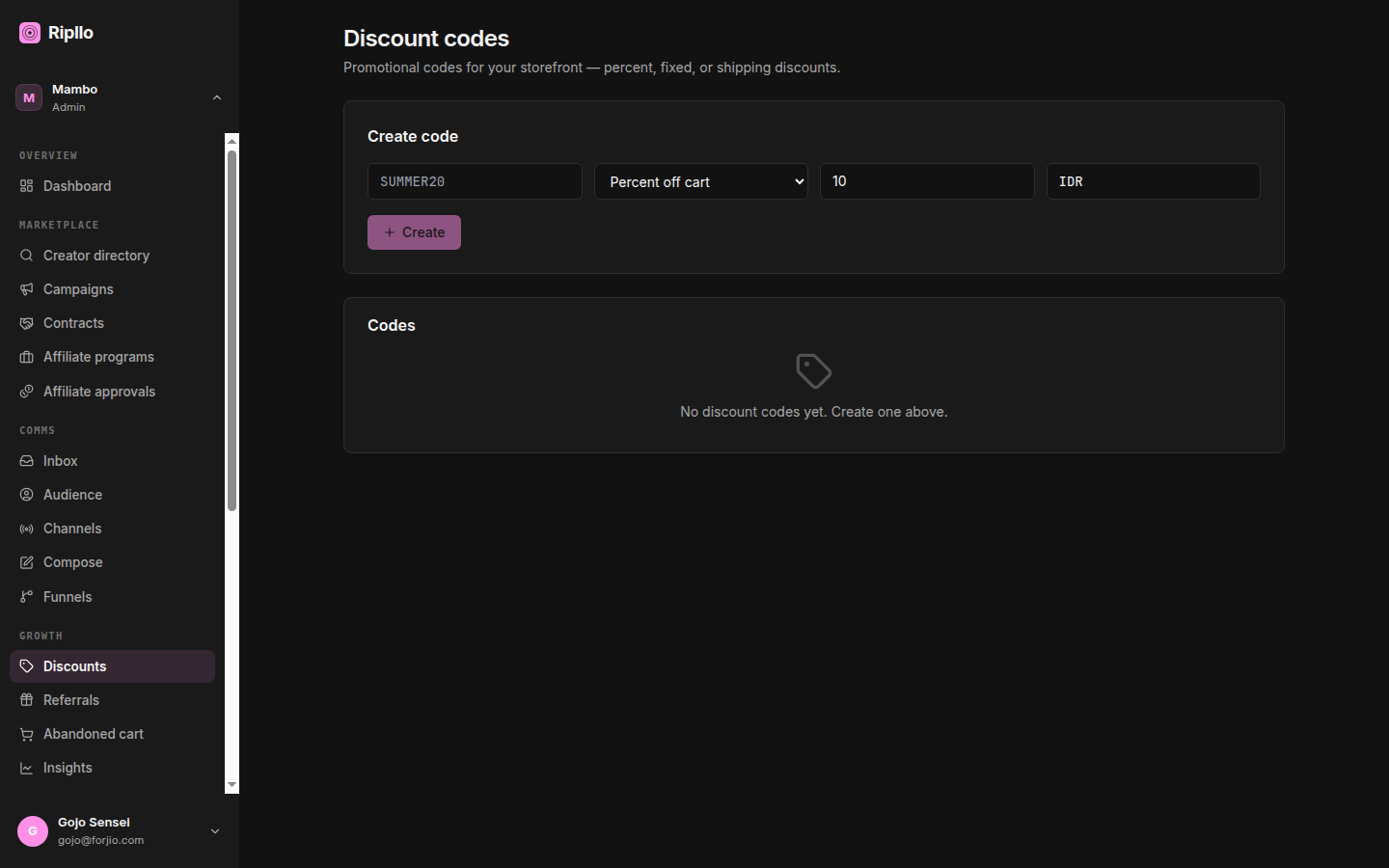
A discount code is a string a customer enters at checkout to reduce their total: WELCOME10, BLACKFRIDAY, FREESHIP. The Discounts page is where you create them, edit them, watch redemptions land, and turn them off when a campaign ends.
You don't have to use codes for every promotion — sitewide markdowns are often better handled storefront-side. Use a code when you want a targeted, trackable lever: "share this code with newsletter subscribers", "first-order coupon for users coming from a paid ad", "winback offer in an abandoned-cart email."
Rule of thumb. If you want to know which campaign drove a sale, give the campaign a code. The redemption ledger gives you that attribution for free.
What a discount code holds
Every code has the same shape, whether you create it from the portal or the API:
| Field | What it's for |
|---|---|
id |
Ripllo-assigned. An opaque cuid string (clx3k9v0000…) — no prefix, stable forever. |
code |
The string the customer types. Normalized to uppercase + trimmed on save, so it's case-insensitive within a workspace. |
description |
Internal-only note for your team. Customers never see it. |
type |
percent, fixed, shipping_percent, or shipping_fixed. The two shipping_* types discount the shipping fee instead of the cart. |
value |
The amount: 10 for 10%, or 25000 for IDR 25,000 off. |
currency |
Currency for fixed-value codes (and for minPurchaseAmount). |
scope |
cart (default), products, or tags. Controls which cart lines the code applies to. |
productIds |
When scope = products, the list of product IDs that qualify. |
tagFilter |
When scope = tags, the product tags that qualify. |
minPurchaseAmount |
Smallest order subtotal the code accepts. |
maxUsesTotal |
Global cap across all customers. |
maxUsesPerCustomer |
Cap per customer. |
startsAt / expiresAt |
When the code is valid. Either or both optional. |
active |
Toggle without deleting. |
public |
If true, the code surfaces in the public storefront teaser endpoint. |
The list view
From the dashboard sidebar, click Discounts. You land at /dashboard/discounts.
The page lists every code in the workspace in one table, sorted by Code ascending by default (click any sortable header to re-sort). There's a search box over the code string, plus two dropdown filters: Type and Status (active / archived).
Columns
- Code — the string, in monospace.
- Type — the raw type:
percent,fixed,shipping_percent,shipping_fixed. - Value —
10%for the percent types,IDR 25000for the fixed ones. - Used — the code's
redemptionCount. - Status — a pill reading Active or Archived.
- Campaign — an inline dropdown. Changing it PATCHes the code's
marketingCampaignIdimmediately; there's no separate save.
Rows aren't clickable and there's no detail panel — the Campaign select is the only per-row control today.
Creating a code
The Create code card sits above the table. It's a short inline form: code, type, value, currency, and an optional Campaign. Click Create and Ripllo POSTs to /api/v1/discount-codes; the new code appears in the table.
The remaining fields from the table above — description, scope, productIds, tagFilter, minPurchaseAmount, maxUsesTotal, maxUsesPerCustomer, startsAt, expiresAt, public — are accepted by the API but are not yet in the portal form. Set them via POST/PATCH /api/v1/discount-codes or the SDK.
A few notes:
- The code field is normalized (trimmed + uppercased) on save and at validation time, so
welcome10andWELCOME10are the same code. percentcodes still need a currency — it's required on create, and it must match the cart currency at validation time or you getCURRENCY_MISMATCH.- Scoped codes (
productsortags) only discount the matching lines — not the whole cart. A 10% off "footwear" code on a cart with a shirt and a pair of shoes only discounts the shoes.
Editing a code
Editing is API-only today — apart from the inline Campaign select, the portal has no edit affordance. Send PATCH /api/v1/discount-codes/:id with the fields you want to change.
Every field is patchable except code, which the update schema drops. To change the code string, archive the existing one and create a new one. Nothing else is locked: type and value stay patchable even after the code has redemptions.
Why is
codeimmutable? Redemption rows reference the code row, not a copy of the string. If you renamedWELCOME10toWELCOME15later, historical analytics would lie about what the customer actually used. The same caution applies to editingtypeorvalueon a code that's already been redeemed — the API allows it, but past redemptions won't be restated.
Validating before checkout
Your storefront backend can call validate to preview whether a code applies, without consuming a use. This is a partner-signed call: sign it with Ripllo-HMAC-SHA256 and name the merchant in X-Ripllo-On-Behalf-Of (see Authentication). The workspace comes from that signed principal — an accountId in the body must match it or you get 403 ACCOUNT_MISMATCH. Don't call it from browser JavaScript; it needs the partner key.
POST /api/v1/discount-codes/validate
{
  "code": "WELCOME10",
  "subtotal": 250000,
  "currency": "IDR",
  "shippingCost": 15000,
  "customerId": "…",
  "items": [{ "productId": "…", "price": 125000, "quantity": 2, "tags": ["footwear"] }]
}
The response returns valid: true | false, the computed discountAmount and discountShipping (shipping-type codes put their money in the second field), the matched code object, and a reason when it didn't apply. The reasons are uppercase enums: NOT_FOUND, INACTIVE, NOT_YET_ACTIVE, EXPIRED, CURRENCY_MISMATCH, MIN_PURCHASE, GLOBAL_LIMIT, PER_CUSTOMER_LIMIT, SCOPE_MISMATCH. This is what powers the "code accepted" UX in your cart before the customer hits Pay.
Redeeming at payment-success
Once the order is paid, your payment handler calls redeem to consume one use. Same partner-signed envelope as validate. Note that redeem works off the code's ID, not the code string — take data.code.id from the validate response you already made:
POST /api/v1/discount-codes/redeem
{
  "discountCodeId": "clx3k9v0000…",
  "checkoutSessionId": "…",       // idempotency key
  "appliedAmount": 25000,          // cart discount you actually gave
  "appliedShipping": 0,            // shipping discount you actually gave
  "customerId": "…",
  "orderGrossIdr": 265000,         // subtotal + shipping BEFORE discount
  "externalSource": "storlaunch",
  "externalRef": "…"               // your order/session id
}
Redemptions are idempotent on (accountId, checkoutSessionId) — if your webhook retries with the same checkoutSessionId, the same redemption row is returned with created: false. No double-counting.
Send a stable
checkoutSessionId. It is the only key the dedupe check reads. A retry that generates a freshcheckoutSessionIdwill create a second redemption and increment the code's counter twice.(accountId, externalSource, externalRef)is also unique in the database, so such a retry that reusesexternalReffails at the DB layer with a500rather than replaying cleanly.
If you're integrating through Storlaunch, this is wired up for you — Storlaunch's payment-success handler calls ripllo.discountCodes.redeem automatically.
Public applicable-codes endpoint
The storefront can fetch a list of codes the current customer could apply, for a "you might also like" teaser:
GET /api/v1/discount-codes/applicable/:accountId?subtotal=250000¤cy=IDR
Only codes marked public: true show up here. Codes with public: false are still valid when the customer enters them manually, but they don't get surfaced.
Tie to a campaign
Every discount carries an optional marketingCampaignId. When set, the code's redemptions roll up under the parent Campaign detail page — in the Discounts tab and in the performance counter.
In the Create code card, the Campaign dropdown lists every non-archived campaign in this workspace. Leaving it blank is fine; the code runs standalone exactly as before. You can also retie an existing code at any time from the Campaign column in the table.
If you build a campaign first and then create the discount from inside it (via the campaign detail's "Add discount" CTA), the form arrives pre-tied.
Archiving a code
DELETE /api/v1/discount-codes/:id sets active: false — that is the only effect, and it's the whole of "archiving". The code stops validating (reason: "INACTIVE") but stays in the database for historical reporting. There is no hard-delete, and no archivedAt timestamp; the table's Archived pill is just active: false rendered.
Like editing, archiving is API-only for now — the portal table has no delete control.
What you can't do (yet)
- Bulk import — one code at a time via UI or API. Bulk endpoint is on the backlog.
- Stacking codes — one code per order; the validator rejects a second one.
- Per-region codes — no geo-fence today. Workaround: use
tagsscope on region-tagged products.
Next
- Referrals — the dual-sided counterpart to discounts.
- Marketing — combine discounts with abandoned-cart reminders.
- API reference — the full endpoint set.